Free Merge MP3 › Choose the output format and quality
Choose the output format and quality
Use a high MP3 bitrate for music. Use WAV or FLAC when you want a lossless encode.
Download Free Merge MP3Free · Windows 11 & 10 · No watermark
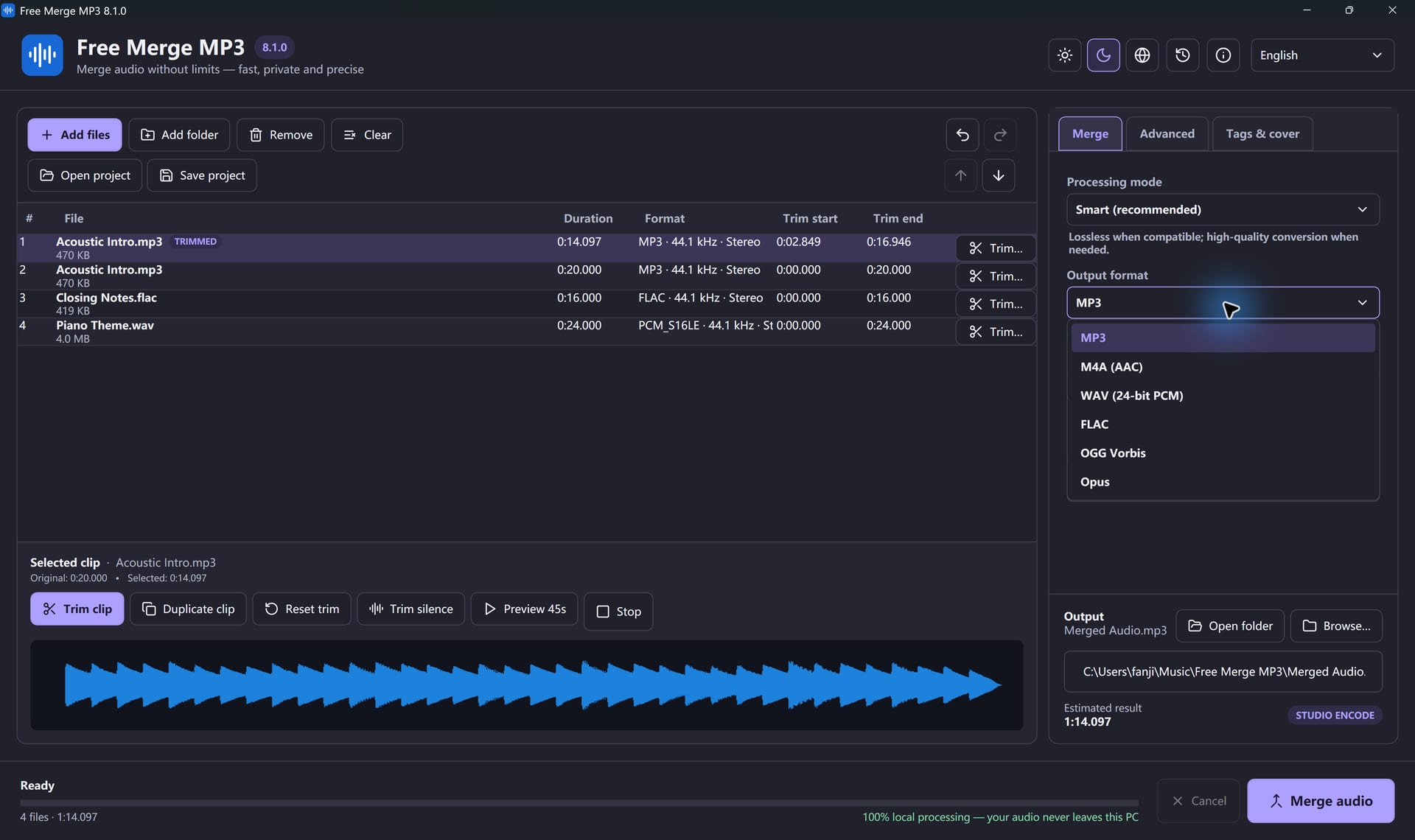
- MP3 at 320 kbps for finished music. 192 kbps is enough for speech.
- M4A is AAC. It is a good choice for Apple devices.
- WAV here is a 24-bit PCM encode, unless a lossless copy keeps the original PCM stream.
- FLAC is lossless. OGG is Vorbis. Opus prefers 48 kHz.
- Bitrate buttons are off for WAV and FLAC.
Changing bitrate, sample rate, or channel count means the audio is encoded again.
Join Your Files In A Few Clicks
Free Merge MP3 is free, offline and made for Windows.
Download Free Merge MP3Windows 11 & 10 · Free forever · No watermark