Free Merge MP3 › How to merge MP3 files on Windows
How to merge MP3 files on Windows
You need at least two MP3s. The app joins them in the order you set and writes one new file.
Download Free Merge MP3Free · Windows 11 & 10 · No watermark
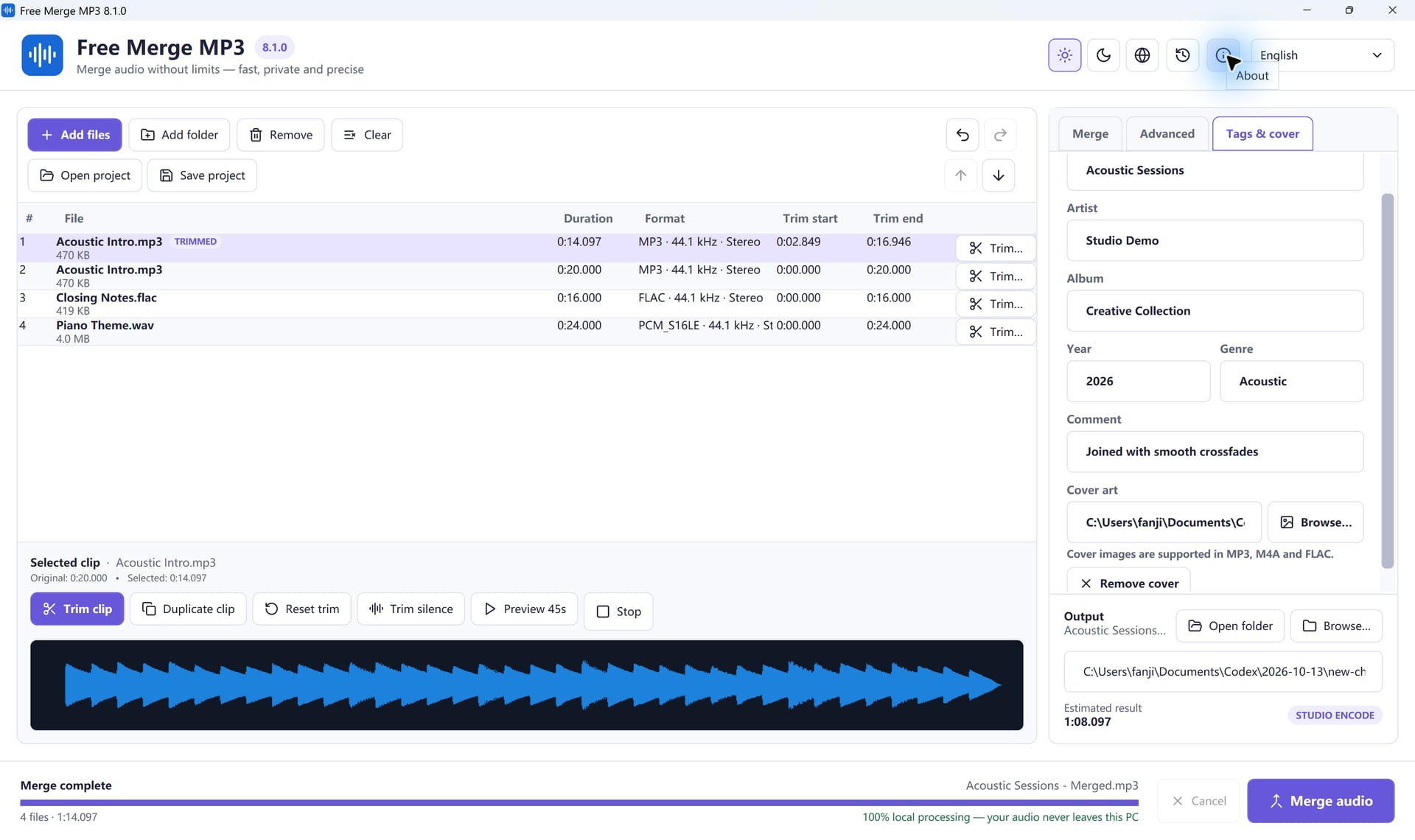
- Open Free Merge MP3 and click Add Files. Select the MP3s, or drop them on the window.
- Drag the rows until the songs are in the order you want to hear them.
- Double-click a row if you want to trim the intro or the ending.
- Leave the output on MP3. 256 or 320 kbps is the usual choice for music.
- Choose a folder that is not one of the source files, then click Merge audio.
If every MP3 already matches in sample rate, channels, and bitrate, and you do not trim or crossfade, Smart mode can copy the audio instead of encoding it again. The completion window tells you which method it used.
Join Your Files In A Few Clicks
Free Merge MP3 is free, offline and made for Windows.
Download Free Merge MP3Windows 11 & 10 · Free forever · No watermark